


Temu: Shop Like a Billionaire
4.4621.23K Reviews
App Specs
- Version
- 4.92.0
- Updated On
- License
- Free
- Downloads
- 1,000,000,000+
- Developer
- Temu
- Categories
- Shopping
- Platform
- Android, iOS
Screenshots

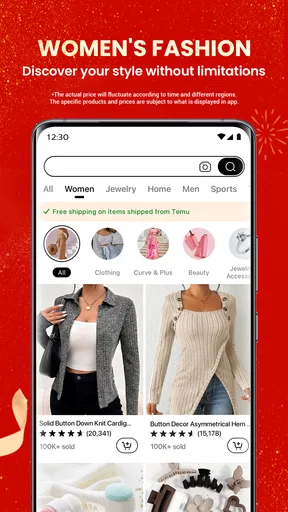
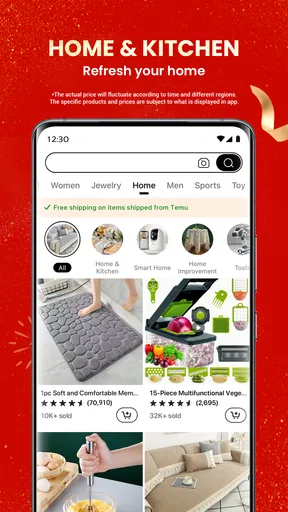
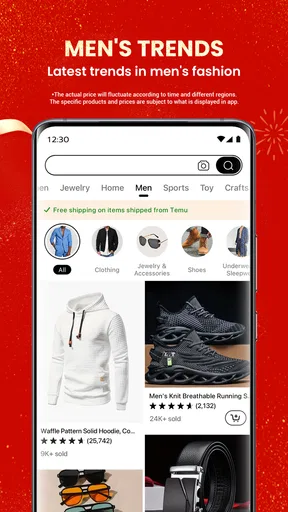
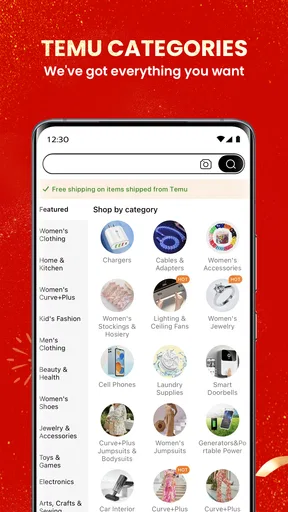

 Analysis by AppCompare
For a first-time shopper, the hardest part of a huge marketplace is knowing where to begin. I’d treat Temu as a place to explore and compare, not as a shortcut to buying the first tempting item you see. A good first session can be simple: search for one practical thing you already need, inspect a few options, and decide whether the details feel clear enough to place an order.
What to expect from a sprawling shopping app
Temu: Shop Like a Billionaire is a free shopping app from Temu, with a 4.6 average from around 11 million ratings and over 500 million installs. That reach makes it a familiar name in mobile shopping, but popularity alone does not tell you whether a particular item is right for you. The app is best approached as a broad catalogue where patience and careful comparison matter more than impulse.
Expect a mix of everyday goods and eye-catching finds rather than the tightly edited selection of a specialist retailer. That range can be handy when you want to browse several kinds of products in one sitting. It also means the experience can feel busy: recommendations and offers compete for attention, and browsing without a goal can turn a quick check into a long scroll.
Guides and Analysis on Temu: Shop Like a Billionaire
I find the most useful mindset is to separate discovery from decision. Save your attention for the product page: look closely at the images and description, compare similar listings, and ask whether the item solves the problem you came with. A low displayed price is only one part of a purchase decision; the usefulness, fit and quality you expect matter just as much.
A calmer first setup and first search
After installing it, I’d start by opening the app and getting comfortable with the layout before adding anything to a cart. Its categories and search make it easy to move between browsing and looking for something specific. If you already know what you need, use a descriptive search rather than relying on the home screen to surface the right match.
For a first meaningful result, choose a low-stakes item with a clear purpose—perhaps an organizer for a drawer or a simple accessory for your home. Compare several listings instead of stopping at the first attractive photo. Check whether the measurements, materials or included pieces are spelled out, and think about how you’ll use the item. This small routine helps you judge the listing rather than the bargain feeling.
Before checkout, pause to review the whole cart and the order details shown in the app. That is a useful moment to catch duplicate items, an unsuitable size or an add-on you tapped while browsing. I would also keep the confirmation and order information easy to find afterward, so you can check progress or return to the details if a question comes up.
Worth Reading Before You Choose

Baby Panda World Brings Quick Play to Modern Phones, but Its Game Library Feels Busy

ESPN’s Live Game View Makes Following Close Games Easier

QuizzLand Review: A Good Fit for Short Trivia Breaks, Not Every Player

Basketball Stars: Multiplayer Is Fast, but Can It Recover When Matches Go Wrong?

WEBTOON Turns Phone Updates Into a Better Reading Routine

Link to Windows Runs on Shared Habits, Not Social Feeds
How to browse without losing track
One subtle trap with a large deal-led catalogue is that a collection of inexpensive extras can become a larger purchase than you intended. I set a short list before browsing and treat anything outside it as a separate decision. If an item still seems useful after I have compared it with alternatives, it has earned a closer look; if not, I leave it behind.
Search results are a starting point, not a guarantee that every listing is equivalent. Similar photos can make products look interchangeable, even when the details differ. I check the wording and specifications for the exact option selected, especially when size, color or quantity could change what arrives. When a listing leaves me uncertain about a detail that matters, I choose a clearer alternative or wait.
Who will enjoy it, and who may prefer another route
The app suits curious bargain hunters who like browsing, comparing and discovering practical little purchases across different categories. It can also work well for someone making a non-urgent household list, because there is time to weigh alternatives instead of buying under pressure. Temu is less suitable when you need a product immediately, depend on a familiar brand’s exact specifications, or want expert advice before choosing.
Compared with a specialist shop, Temu offers a wider variety in one place, while a focused retailer may make it easier to judge a narrow product category or stick to brands you already trust. Compared with a local store, an app cannot let you handle an item before buying. I’d choose the local option when I need something today or need to verify its feel and size in person; I’d browse Temu when convenience and range matter more than immediate certainty.
It is also worth being realistic about online shopping generally: product photos and descriptions are what you use to make the decision, so they cannot replace inspecting an item yourself. For anything where precise compatibility, durability or a particular finish is essential, I’d take extra time to compare details and would not let a striking offer rush me.
As a shopping app, Temu is free, rated Teen and currently at version 4.18.0, with Android support from version 5.0. It was released on August 25, 2022. Those basics make it easy to see whether it fits your device and household, but the more important test is whether the app’s selection and browsing style suit the way you shop.
Ever wondered what it feels like to shop like a billionaire without the hefty price tag? Well, that's exactly what Temu: Shop Like a Billionaire promises. If you're anything like me, always on the lookout for the next big thing in shopping apps, then buckle up because Temu might just be the hidden gem you've been searching for.
A Deep Dive into the Luxe Shopping Experience
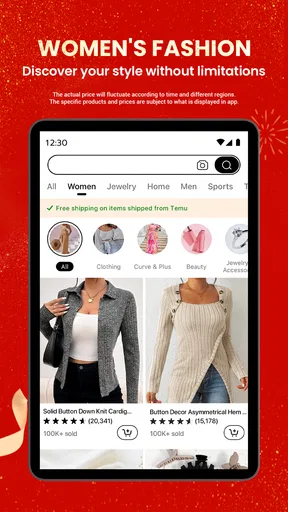
So, I decided to give Temu: Shop Like a Billionaire a whirl, and let me tell you, it was quite the ride. The app is designed to make you feel like you're strolling through a high-end shopping district, minus the stress on your wallet. It's sleek, intuitive, and surprisingly easy to navigate. From the moment you open it, you're greeted with a plethora of categories ranging from fashion to electronics, home décor, and even some quirky finds that you didn't know you needed.
Intuitive Design and User-Friendly Interface
One of the first things that struck me was how user-friendly the app is. The layout is clean, with everything just a tap away. No clutter, no confusion. You can easily filter your search based on your preferences, making it a breeze to find exactly what you're looking for. And if you're like me, who sometimes just loves browsing, the app allows you to explore trending items and hot deals effortlessly.
Exclusive Offers That Feel Like a Steal
Now, let’s talk deals. Temu is packed with exclusive offers that make you feel like you’ve hit the jackpot. Whether it's a luxury watch or a designer handbag, the app provides discounts that seem almost too good to be true. I found myself adding items to my cart that I’d typically only admire from afar. It’s like having a personal shopper who knows all the best sales.
Security and Customer Support
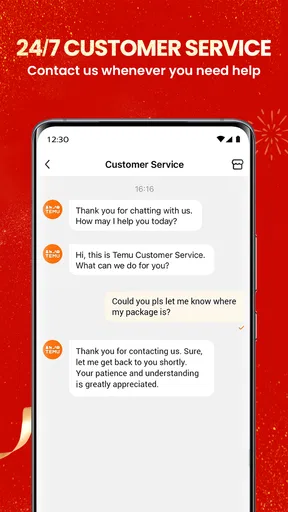
Shopping online always comes with a bit of a trust issue, right? But with Temu, I felt pretty secure. The app has multiple payment options, and they ensure secure transactions with encrypted payment systems. And on the off chance you run into any issues, their customer support is swift and super helpful. I had a minor hiccup with an order, and their team resolved it in no time.
The Verdict: A Must-Try for Shopping Enthusiasts
If you're someone who loves the thrill of finding great deals and enjoys a luxurious shopping experience without breaking the bank, then Temu is definitely worth a download. It's like having a chic shopping mall at your fingertips, available anytime, anywhere. So next time you're in the mood for a shopping spree, give Temu a shot—you might just find yourself shopping like a billionaire, without the billionaire budget.
All in all, Temu: Shop Like a Billionaire delivers on its promise. It’s not just an app; it’s an experience. Happy shopping!
Making the first order a useful test
A realistic first purchase might be a small item for a household task you have been putting off. Say a drawer keeps collecting loose cables: search for an organizer, compare the dimensions with the space you have, and make sure the listing describes the compartments you actually want. That is a better trial than buying something purely because it looks novel. You can evaluate how comfortable the browsing and order process feels while keeping the decision tied to a real need.
I also recommend deciding on a personal spending limit before opening a deal-heavy shopping app. The point is not to avoid every extra; it is to choose extras deliberately. If you find a second useful item, put it aside mentally and finish assessing the first one before expanding the cart. This separates a considered purchase from the momentum of seeing one offer after another.
Questions worth settling before checkout
Is it suitable for a quick gift? It can be useful for browsing gift ideas when you have time to compare, but I would not rely on an unfamiliar listing for a last-minute occasion. If timing is important, a nearby shop or a retailer with a delivery option you already understand may be a safer fit. For a flexible occasion, check the product details carefully and make the choice based on the recipient rather than the discount.
What if I cannot tell whether two items are different? Read each listing as its own product, including the selected option and the descriptive details. Similar pictures are not enough to establish that size, material or quantity matches. If the difference remains unclear and affects whether the item will work, do not guess just to complete the purchase.
Can I use it without a shopping plan? Certainly, browsing is part of the appeal, but aimless scrolling is also where it is easiest to lose track of what you meant to buy. I use a short list as an anchor: explore freely, then return to the list before checking out. That keeps discovery enjoyable without treating every suggested item as a need.
Should I choose it over a familiar retailer? That depends on what matters most for the specific purchase. I would compare on Temu when I am open to alternatives and can judge a product from its listing. I would lean toward a trusted specialist for a technical item, a brand-sensitive purchase or anything where advice and consistent specifications are central. Neither route is automatically best for every product.
What I would do next
Once you have made a first purchase—or decided that a listing is not convincing—use that experience to refine how you browse. Notice which product descriptions help you make a confident choice and which leave questions. On your next visit, search with more precise terms, compare fewer but more relevant options, and keep the cart focused on items you can explain a practical reason for buying.
Temu is at its most enjoyable when I treat it as a discovery tool with a checkout attached, rather than as entertainment that must end in a purchase. Its broad assortment and accessible browsing make it worth exploring if you like hunting for useful finds. Its busy deal-oriented feel and the need to judge listings carefully are real trade-offs, though. Go in with a purpose, take time over the details, and you are more likely to leave with something that fits your needs instead of a cart full of passing impulses.
Pros
- Wide range of products available.
- User-friendly and intuitive interface.
- Frequent discounts and promotions.
- Easy checkout and payment process.
- Reliable customer support options.
Cons
- Limited international shipping options.
- App notifications can be overwhelming.
- Occasional slow loading times.
- Some products lack detailed descriptions.
- Returns process can be cumbersome.
FAQs for Temu: Shop Like a Billionaire
What is Temu: Shop Like a Billionaire?
Temu: Shop Like a Billionaire is a mobile shopping app available on Android and iOS that offers users a curated selection of luxury and high-end products. The app aims to provide an exclusive shopping experience, featuring items from fashion, accessories, and home decor to the latest in tech gadgets.
How does Temu ensure the authenticity of its products?
Temu partners with verified brands and retailers to guarantee the authenticity of every product. Each item goes through a rigorous vetting process before being listed on the app, ensuring that users receive genuine and high-quality products. Additionally, Temu provides detailed product information and customer reviews for transparency.
Are there any membership fees or hidden costs associated with using Temu?
Temu does not require any membership fees to access its exclusive shopping experience. Users can browse and purchase products without any hidden costs. However, prices may vary based on the exclusivity and demand for specific items. Always check for shipping and handling fees during checkout.
What payment methods does Temu accept?
Temu offers a variety of secure payment options to accommodate its users, including major credit and debit cards, PayPal, and other digital wallets. The app ensures secure transactions by using advanced encryption technologies, providing peace of mind for users during the checkout process.
Can I return or exchange products purchased on Temu?
Yes, Temu has a customer-friendly return and exchange policy. Users can initiate a return or exchange within a specified period after receiving the product, typically 14 to 30 days. The app provides easy-to-follow instructions for returns, and customer support is available to assist with any issues.


